RK-SPI-NOR-Chainloader
Bare-Metal Rockchip Firmware
rk is a small, multi-board firmware and hardware-bring-up project for
Rockchip RK3399, RK356x, and RK3588 devices. It can run a bare-metal payload
directly, provide framebuffer and keyboard firmware services, or, on explicitly
enabled RK3568 boards, act as the first stage for BL31 and U-Boot so U-Boot can
boot Linux or an EFI application from NVMe, SD, USB mass storage, or eMMC.
Choose a workflow
| Goal | Output or command | What happens next |
|---|---|---|
| Test a board without installing firmware | make usb<soc> |
MaskROM USB loads DDR and a demo image into RAM |
| Test bare-metal firmware from SD | Board demo .img |
Firmware exposes its implemented services and enters the included example payload |
| Develop an EL2 payload | Board .bin plus a payload |
The firmware initializes the platform and transfers control to EL2 |
| Reach U-Boot on an enabled RK3568 board | make usb-chainload BOARD=<board> |
BL31 enters that board’s U-Boot at EL2; U-Boot scans NVMe, SD, USB, then eMMC |
| Boot an enabled board autonomously | Install its chainloader to SPI NOR or eMMC | BootROM loads the board-qualified first stage without a USB host or SD card |
| Boot YY3568 only from NVMe via SD firmware | make chainload-media BOARD=yy3568 MEDIA=sd-nvme |
The firmware-only SD image runs U-Boot and scans only NVMe |
| Publish board binaries | make release-dist VERSION=vX.Y.Z |
Reproducible, checksummed per-board archives are created |
The normal bare-metal firmware is not standalone and is not a storage
bootloader: it expects a FUEFI payload appended immediately after the firmware
and does not contain PCIe, NVMe, or filesystem drivers. A firmware-only .img
therefore halts with Bad payload magic; use a demo image for a standalone
test. Optional board-scoped chainloaders deliberately delegate storage boot to
U-Boot instead of duplicating it.
U-Boot’s EFI Loader can launch EFI/BOOT/BOOTAA64.EFI; this repository does
not build EDK2 or claim to be a complete UEFI implementation.
Supported boards
| Target | SoC | Bare-metal/demo | MaskROM USB | SD image | BL31/U-Boot chainloader |
|---|---|---|---|---|---|
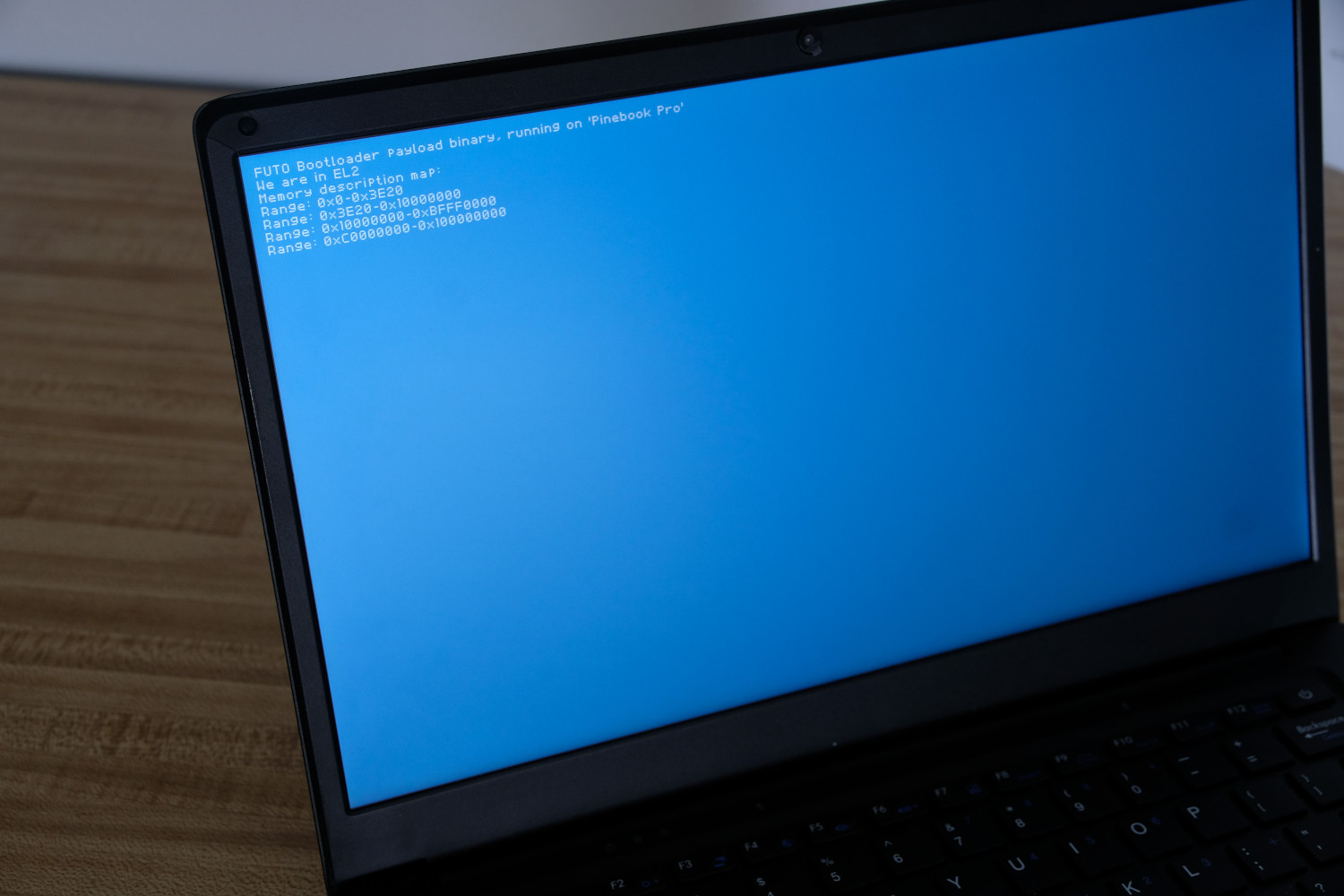
| Pine64 Pinebook Pro | RK3399 | yes | usb3399 |
yes | no |
| Cool-Pi Genbook | RK3588 | yes | usb3588 |
yes | no |
| Firefly ROC-RK3566-PC | RK3566 | yes | usb3566 |
yes | no |
| Youyeetoo YY3568 | RK3568 | yes | usb BOARD=yy3568 |
yes | SPI NOR, eMMC, SD, or USB |
| Radxa ROCK 3A | RK3568 | yes | usb BOARD=rock3a |
yes | SPI NOR, eMMC, SD, or USB |
| Orange Pi 5 | RK3588 | partial | — | partial | no |
Board support is explicit. Shared SoC code does not make arbitrary RK3566, RK3568, RK3399, or RK3588 boards safe to use.
What the bare-metal firmware provides
- DDR initialization through source-built or pinned Rockchip loaders.
- Early UART and board/SoC diagnostics.
- MMU and target-specific memory maps.
- RK3399/RK3588 display support and an RK356x VOP2/DW-HDMI platform.
- Fixed 1920x1080p60 RK356x HDMI output using the basic display path.
- Polled USB HID boot-keyboard input on supported RK356x USB-A ports.
- DTB, framebuffer, memory-map, character-input, and reset services through the project’s FUEFI interface.
- EL3-to-EL2 payload handoff and reset-to-MaskROM recovery.
- Direct BootROM USB loading and RKNS SD-image packaging.
- Isolated, manifest-driven BL31/U-Boot variants for YY3568 and ROCK 3A.
HDMI audio, hubs and high-speed USB host controllers, networking, storage drivers in the bare-metal stage, authenticated boot, OP-TEE, and EDK2 remain out of scope.
Build and test
On Debian or Ubuntu:
sudo apt install gcc-aarch64-linux-gnu libusb-1.0-0-dev make xxd \
  device-tree-compiler cpp python3 xz-utils
make all
make SHELL=/bin/bash check -j"$(nproc)"
make all builds the normal/demo firmware and host utilities. It does not
fetch or build U-Boot. The required RK356x binary inputs are vendored in
img/, so ordinary clean builds do not require sibling rkbin or
Rockchip-Library checkouts.
Artifact naming is consistent:
<board>.bin: firmware-only developer base; append a compatible payload.demo_<board>.bin: firmware with the demo payload appended.<board>.img: SD-packaged firmware-only base; not standalone.demo_<board>.img: standalone SD demonstration image.uboot_<board>.bin: dedicated board first stage plus its pinned U-Boot FIT.uboot_<board>.img: board-qualified BL31/U-Boot SD image.uboot_yy3568_sd_nvme.img: YY3568 firmware-only SD image whose automatic boot command scans only NVMe.uboot_<board>_idbloader.img: raw eMMC ID block for LBA0x40.uboot_<board>_spi.img: raw RKNS v2 SPI-NOR ID block for LBA0x40.
See Getting started for release-vs-source workflows, direct USB loading, SD usage, serial settings, and recovery expectations.
RK356x: U-Boot, storage discovery, and autonomous boot
Chainloading is enabled only for boards with validated manifests. Build and validate one selected board without affecting its normal/demo firmware:
make chainload BOARD=yy3568
make chainload-check BOARD=yy3568
make chainload-media BOARD=yy3568 MEDIA=sd-nvme
make usb-chainload BOARD=yy3568

make chainload BOARD=rock3a
make chainload-check BOARD=rock3a
make usb-chainload BOARD=rock3a
The resulting flow is:
SPI NOR / eMMC / SD / MaskROM USB
  -> RK3568 BootROM
  -> Rockchip DDR loader
  -> board-isolated rk RK3568 chainloader
  -> BL31
  -> U-Boot EL2
  -> board-specific SD/NVMe/eMMC/SCSI/USB/network policy
  -> extlinux, boot.scr, or EFI/BOOT/BOOTAA64.EFI
YY3568 pins official mainline U-Boot v2026.07; ROCK 3A pins official mainline U-Boot v2026.04. Each manifest selects its own source, overlay, addresses, boot policy, and artifacts. The build is opt-in and normally fetches that pinned source commit.
The YY3568 build also produces uboot_yy3568_sd_nvme.img from a second clean
snapshot of the same commit. The image puts upstream U-Boot’s complete
u-boot-rockchip.bin binman output at LBA 64; it does not use the repository’s
custom first stage. Its policy difference is bootflow scan -lb nvme; an
absent or unbootable NVMe returns to the U-Boot prompt instead of scanning SD,
eMMC, SCSI, USB, or network.
Both manifests explicitly map their board aliases so mmc1 selects the
removable SD slot, mmc0 selects eMMC, and onboard mmc2 SDIO is never scanned
as OS storage.
Use UBOOT_SRC=/path/to/pinned/source for an existing source tree, or
UBOOT_ITB=/path/to/u-boot.itb for an offline .bin development build.
Persistent-media images additionally require the pinned U-Boot mkimage or
an explicit MKIMAGE=/path.
SPI NOR has immutable BootROM priority over eMMC, SD, and USB. Installation is therefore guarded by exact confirmation strings, capacity checks, mandatory backups, MBR/GPT overlap checks for eMMC, and complete readback verification. Read the chainloading and installation guide before writing either device, and follow the dedicated guarded SPI-NOR tutorial for persistent SPI installation.
Documentation
- Getting started and choosing a workflow
- Firmware images, payloads, SD delivery, and device trees
- RK356x device overview and board matrix
- RK356x common bare-metal firmware, memory, display, and input
- RK356x BL31/U-Boot, SPI/eMMC, NVMe, recovery, and future EDK2/OP-TEE integration
- Guarded RK356x SPI-NOR flashing tutorial
- ROC-RK3566-PC board policy
- YY3568 board policy
- ROCK 3A board policy
- Binary releases and checksum verification
- Chainloader board-manifest and porting policy
- Rockchip binary provenance
- Bare-metal reference index
Binary releases
Stable vMAJOR.MINOR.PATCH tags publish reproducible archives for Pinebook Pro,
Genbook, ROC-RK3566-PC, YY3568, and ROCK 3A plus a top-level SHA256SUMS. The partial
Orange Pi 5 target and Linux host executables are intentionally not release
assets. See the release guide.
Validation status
Host tests cover image formats, FIT parsing, address policies, input logic, guarded SPI/eMMC installation, backup restoration, release allowlists, and reproducibility contracts. Physical-board acceptance is separate: before depending on a persistent image, capture the required UART transcript and complete the hardware checklist in the relevant board guide.
Thanks
- Colt Judice
- Hans Jorgensen
- Hannes Bredberg
- Andreas Dannenberg
Copyright FUTO (C) 2025 FUTO